Wild Blue Skies Controls
Laser, charge, bombs, boost, and barrel rolls explained for every platform
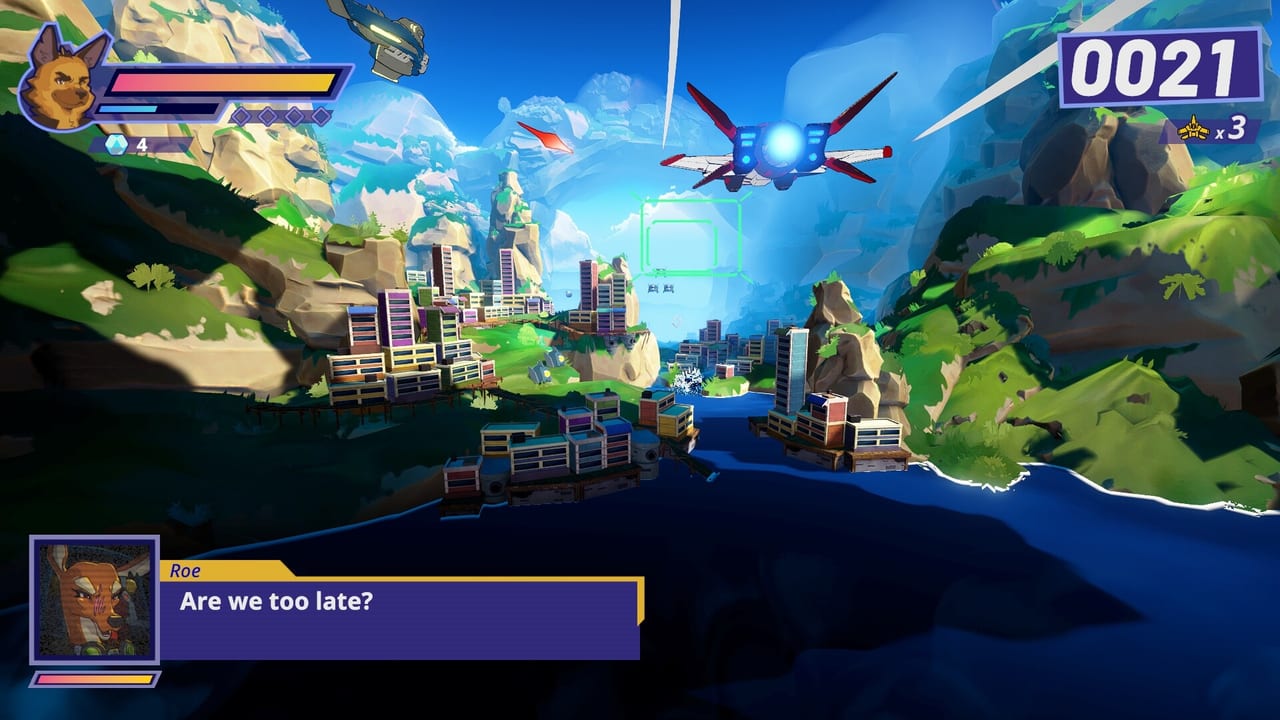
Wild Blue Skies is an on-rails arcade flight shooter from Chuhai Labs and VITEI BACKROOM, published by Balor Games. If you have played classic rail shooters, the biggest surprise is not the speed—it is how deliberately the team split laser and charge shot into separate inputs. That design choice shows up in every fight against Grimclaw and the rival squad, and it is the number-one reason new pilots open this hub instead of the pause menu.
This controls hub collects every input reference for the launched Steam, PlayStation 5, and Xbox Series X|S builds, plus the still-live Steam demo. Nintendo Switch follows in fall 2026. Whether you are learning Bowie Stray’s Blue Bombers loadout or tuning settings before a medal run, start here and branch into the detailed pages below.
Why controls feel different from Star Fox
Rail shooters trained a generation to hold one fire button and tap another for charged blasts. Wild Blue Skies modernizes that loop: the laser fires a three-round burst on its own button, while charge shot builds on a dedicated input. Mashing laser can interrupt the burst rhythm and lower your effective DPS, so rhythm matters even in on-rails segments. Veterans who muscle-memory their way through the first stage often wonder why damage feels low—the answer is usually input overlap, not difficulty.
Boost and brake live on the triggers, tilt on the bumpers, and a barrel roll comes from a double-tap on a bumper. Bombs remain your panic button for dense enemy waves and certain boss patterns. The pause menu displays a control diagram on the left side, which is the fastest in-game reference when you forget which shoulder does what.
Pages in this section
Use these guides together; each one goes deeper on a slice of the scheme:
- Controller Layout — full gamepad mapping for Xbox, PlayStation, and Switch-style pads on PC.
- Keyboard and Mouse — Steam demo bindings, remapping tips, and why KBM still maps to rail-shooter logic.
- Combat Moves — laser burst timing, charge shot discipline, bombs, boost/brake, tilt, and barrel rolls in actual combat.
- Settings and Auto-Fire — accessibility options, auto-fire tradeoffs, and what to toggle before score chasing.
Platform notes before launch
The Steam app (1921490) includes a free demo that mirrors the console control philosophy. PlayStation 5 and Xbox Series versions use the same split between laser and charge, with trigger boost/brake and bumper tilt. Switch players should expect identical logic with Nintendo button names once the fall 2026 port arrives. For purchase timing, platform-specific performance notes, and demo availability, see the Platforms overview.
Connect controls to scoring and routes
Inputs are only half the story. Branching paths, secret routes, and medal thresholds assume you can fire cleanly while drifting through narrow gaps. Once you are comfortable with boost-brake and barrel rolls, move to Branching Paths and Secret Paths so you know where tight handling pays off. Medal and ribbon requirements tie directly to accuracy and speed—our Scoring section explains how clean flying translates to rank.
Quick troubleshooting
If nothing fires, check whether auto-fire is disabled and confirm laser versus charge bindings in settings. If barrel rolls fail, verify you are double-tapping the bumper within the timing window shown in the pause diagram, not holding tilt. If charge shots never release, you may be holding the laser button out of habit from older rail games.
Related wiki sections
After you lock in inputs, pair this hub with How to Play for mission flow, Demo Tips if you are still on the Steam sample, and Characters to see how Bowie, Thorne, Chuck, and Roe differ in squad banter—not stats, but tone. Tools like route planners live under Tools once you start optimizing medal runs.
Wild Blue Skies keeps the arcade spirit while refusing to hide its buttons. Learn the split, respect the laser burst, and the Blue Bombers can keep pace with Grimclaw long enough to uncover every hidden corridor.
Frequently Asked Questions
Quick answers from launch-day stores, reviews, and in-game systems.
Where can I see Wild Blue Skies controls in-game?
Open the pause menu. The left side shows a control diagram with laser, charge shot, bombs, boost, brake, tilt, and barrel roll inputs for your current device.
Why does laser feel weak when I mash the button?
Laser fires a three-round burst. Button mashing can interrupt the burst cycle and reduce DPS. Tap with rhythm or enable auto-fire if you prefer steady output.
Are controls the same on Steam and consoles?
Yes. The demo and previews use the same split between laser and charge shot, trigger boost/brake, and bumper tilt across Steam, PS5, and Xbox Series builds.