Wild Blue Skies Controls Cheatsheet
Printable gamepad mental model for on-rails combat
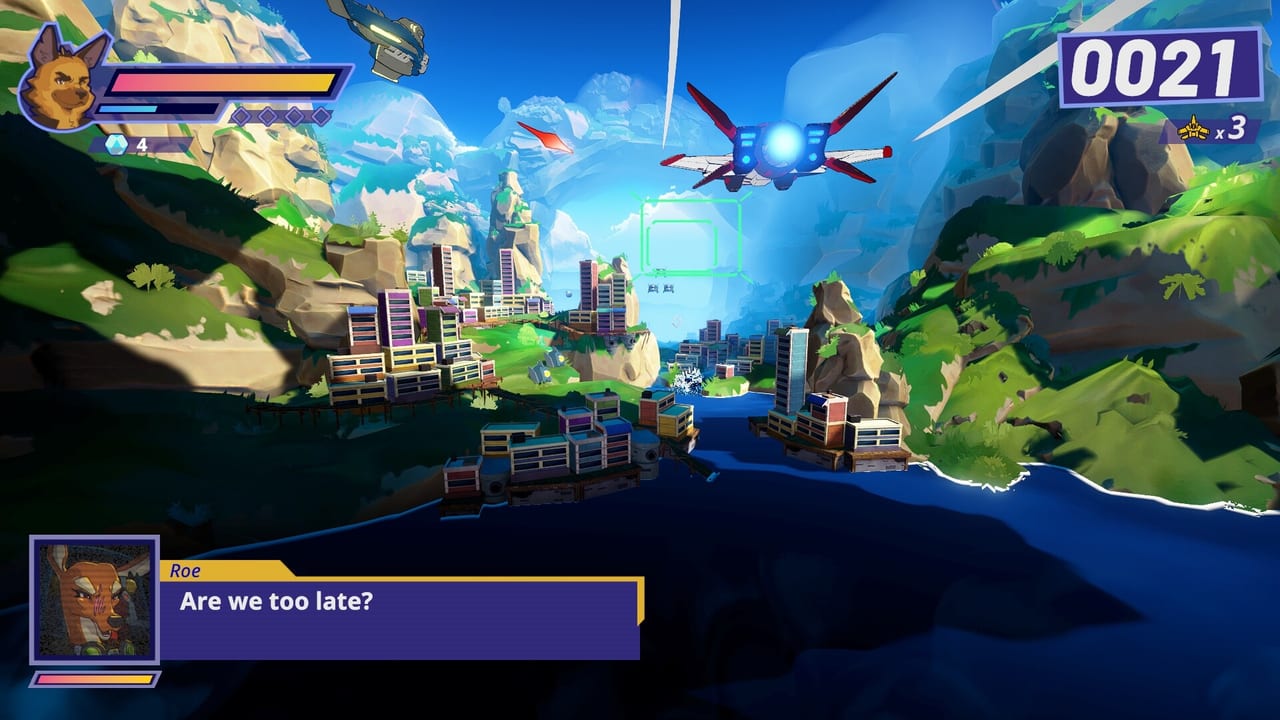
Wild Blue Skies ships with full controller support on Steam and assumes gamepad-first play on consoles. Exact rebinding options may expand at launch, but preview and demo sessions follow familiar arcade flight patterns: move reticle, fire, lock or focus, barrel roll or dodge, and occasional boost inputs during scripted rails. This cheatsheet gives you a printable mental model before diving into Campaign Overview missions or rival dogfights.
Treat labels below as functional roles—verify against in-game tutorials and settings menus after August 13, 2026 if bindings differ.
Default gamepad layout (functional roles)
| Input | Primary role | Combat note |
|---|---|---|
| Left stick | Reticle / aim on rail | Micro-adjust, not free flight |
| Right stick | Optional camera fine aim | Use if enabled in settings |
| RT / R2 | Primary fire | Chain builder in Score System |
| LT / L2 | Secondary / charged shot | Save for armored targets |
| A / Cross | Confirm / boost | Contextual on some rails |
| B / Circle | Roll / dodge | i-frames during telegraphed salvos |
| X / Square | Lock-on toggle | Rival phases and elite craft |
| Y / Triangle | Special / wingman call | If enabled in mission |
On-rails movement mental model
Remember: the camera flies the plane. Your stick moves the reticle within a bubble of freedom, not the entire flight path.
- Centerline bias: Stay neutral unless targeting—helps Wingmen formation triggers.
- Lead targets: Aim where enemies will be when shots arrive, especially on ocean environments.
- Pre-bank corners: Desert ridge rails punish late corrections; see Ace Tips.
Combat rhythm checklist
Use this loop during demo practice (Demo and Wishlist):
- Identify next spawn volume.
- Acquire elite or rival first.
- Fire in controlled bursts to maintain chain.
- Roll through telegraphed missile lanes.
- Re-center stick before next wave.
Printable session checklist
Copy or print before each session:
- Controller connected before launch (Steam Input verified)
- Sensitivity comfortable for small cave reticle moves
- Audio up for wingman branch cues (Hidden Missions)
- Debrief goal chosen: story, score, or medal (Medal Guide)
PC keyboard note
Steam lists full controller support; keyboard layouts may exist but are secondary. Medal grinders should prefer pad parity with console players unless muscle memory says otherwise.
Related pages
- Score System — why controlled bursts matter.
- Specs Checker — stable FPS for input consistency.
- Blue Bombers — squad context during formation segments.
Platform-specific notes
Steam (PC): Open Steam Input before your first demo flight and confirm the detected layout matches your pad (Xbox, DualSense, or Switch Pro). Wireless adapters sometimes register as generic devices—if rolls feel unresponsive, switch to wired USB for calibration sessions. PC players chasing Ace Tips should disable heavy overlay apps that steal focus during fullscreen play.
PlayStation 5: DualSense triggers may map fire to R2 with adaptive tension disabled for consistent arcade taps. Mute system-level double-tap shortcuts if they interfere with rapid confirm inputs during briefing menus.
Xbox Series X|S: Xbox layout matches the table above closely. Quick Resume can desync controller state after suspending mid-mission; restart the stage if inputs feel laggy after resuming from dashboard.
Common mistakes new pilots make
- Over-steering on rails: Full stick deflection when micro-moves suffice—causes missed chains and wingman collision in cave environments.
- Holding fire constantly: Overkill frames delay reticle travel to the next spawn; tap firing builds Score System chains more reliably.
- Ignoring audio cues: Branch and mayday lines are control-adjacent information; subtitles help if you play handheld Switch later.
- Skipping roll i-frames: Rolling late through telegraphed salvos is the fastest way to fail no-damage medals in Medal Guide runs.
Ten-minute demo drill
Run this in the Steam demo (Demo and Wishlist) before launch:
- Minutes 1–3: Fly without firing—only move reticle and practice centerline returns.
- Minutes 4–6: Add primary fire with tap bursts on the easiest wave.
- Minutes 7–8: Add one roll per telegraphed missile lane.
- Minutes 9–10: Engage one optional rival using lock-on if available.
Repeat daily until inputs feel automatic, then layer Hidden Missions routing.
Controls become invisible when mapped to roles instead of buttons. Learn the rhythm once, then let Medal Checklist track everything else.
Frequently Asked Questions
Quick answers from launch-day stores, reviews, and in-game systems.
Does Wild Blue Skies support controllers?
Yes. Steam confirms full controller support; console versions assume gamepad play.
Can I rebind controls?
Expect standard Steam Input and console remapping at launch. Verify in settings after installing the demo.
What is the most important control habit?
Reticle discipline—stay centered on rails, lead targets, and roll through telegraphed salvos during rival fights.